When it comes to VCS ( Version Control System ), we will have confusion as we have many products in the market with almost the same capabilities. When we think about enterprise-level usage, GitLab , GitHub , Subversion , Bitbucket etc. will come on top of the list and some are with enterprise-level support too.
Please note, SCM (Software Configuration Management) is not the same as VCS but, VCS is a part or subset of SCM.
Installing our own git server with GUI is not a big deal as we have gitlab-ce ( Learn more ) which is free and another option is self-hosted bitbucket (but not free), or you can go for other premium VCS solutions. Fortunately, we have a simple opensource product called Gogs , which itself described as “ A painless self-hosted Git service “. Yes, you can setup your own GitLab it GitHub like Git server with Gogs . You have different choices for installation from source, from packages, from binaries or just run it inside a docker container.
Let’s build a Gogs git server using docker container.
Do you want to learn about Ansible practical use cases? Check the latest book from the author as follows. Available on Packt and Amazon .

Prepare Docker Image and Data directory
Create a local directory for storing data and repositories. For production, you can point this to any nfs or cloud disks.
devops@node1:~$ mkdir gogs
devops@node1:~$ ls -l
total 4
drwxrwxr-x 2 devops devops 4096 Oct 22 04:56 gogs
Get Gogs docker image
devops@node1:~$ sudo docker pull gogs/gogs
Using default tag: latest
latest: Pulling from gogs/gogs
9d48c3bd43c5: Pull complete
1013a6a6073e: Pull complete
f074cb3ecafc: Pull complete
33433d770f0d: Pull complete
b464f169dfd9: Pull complete
77e3c5692f7d: Pull complete
e6d8ab097b45: Pull complete
13266a8e4353: Pull complete
2ac951b0051b: Pull complete
266414b76811: Pull complete
Digest: sha256:48cd3d14f6d5c9f73cd462b42e67f7a021b299da8fdaa2003cc164fe6ed08a38
Status: Downloaded newer image for gogs/gogs:latest
Start docker container
devops@node1:~$ sudo docker run --name=gogs -p 10022:22 -p 10080:3000 -v ~/gogs:/data gogs/gogs
Do not forget to map the port for ssh (10022:22) and http (10080:3000) etc. You can customize these ports inside the container if you want. Also, see, we have mounted ~/gogs to /data inside the container.
Now, you check your machine IP with your http port as we need to setup first time setup. ( here my localmachine is a GCP instance, hence I will use the public IP of the same )
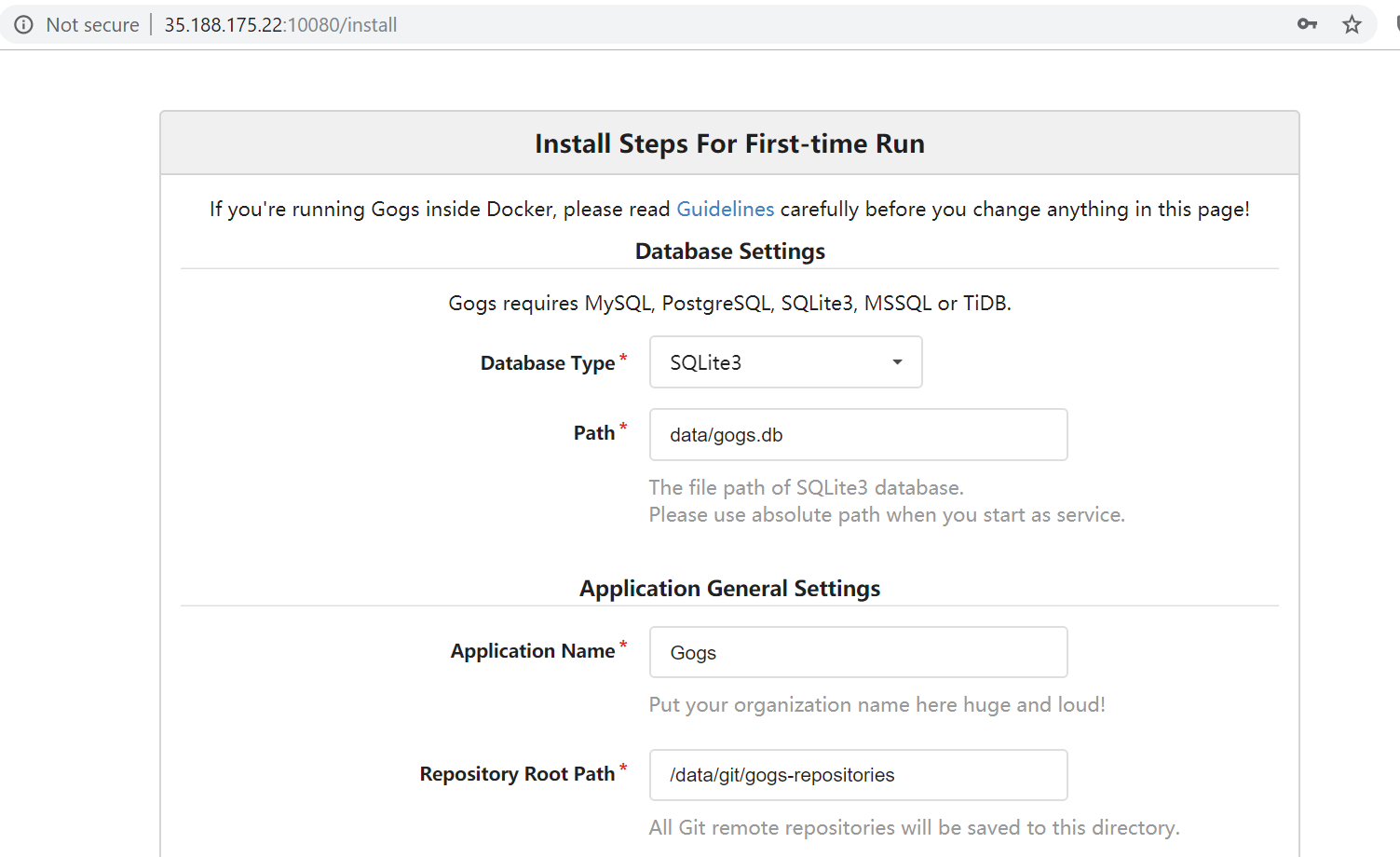
Customize whatever parameters you need and add an initial admin user to login. Then Install Gogs.
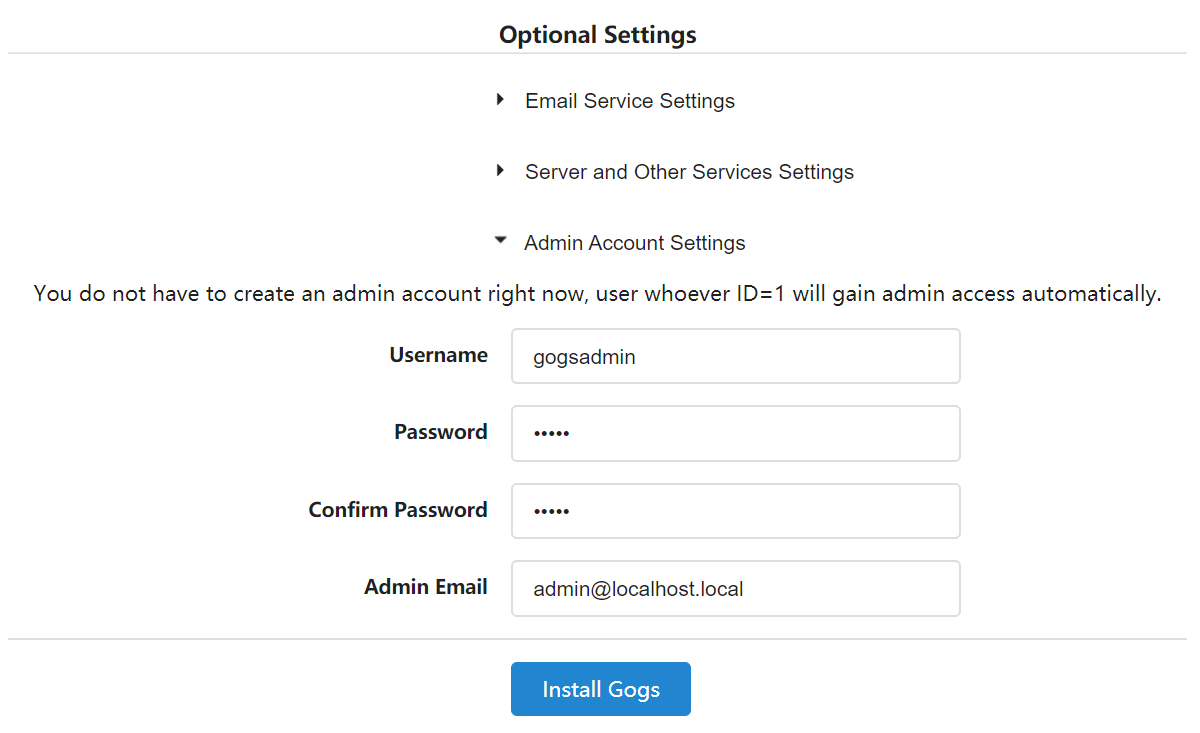
Note: Install script will reload browser to localhost:3000/user/login, which will not work if you are using a cloud instance or Gogs inside docker. Please remember to put public IP or your DNS name in place of public url.

Open the url in browser again and you can see the welcome screen.
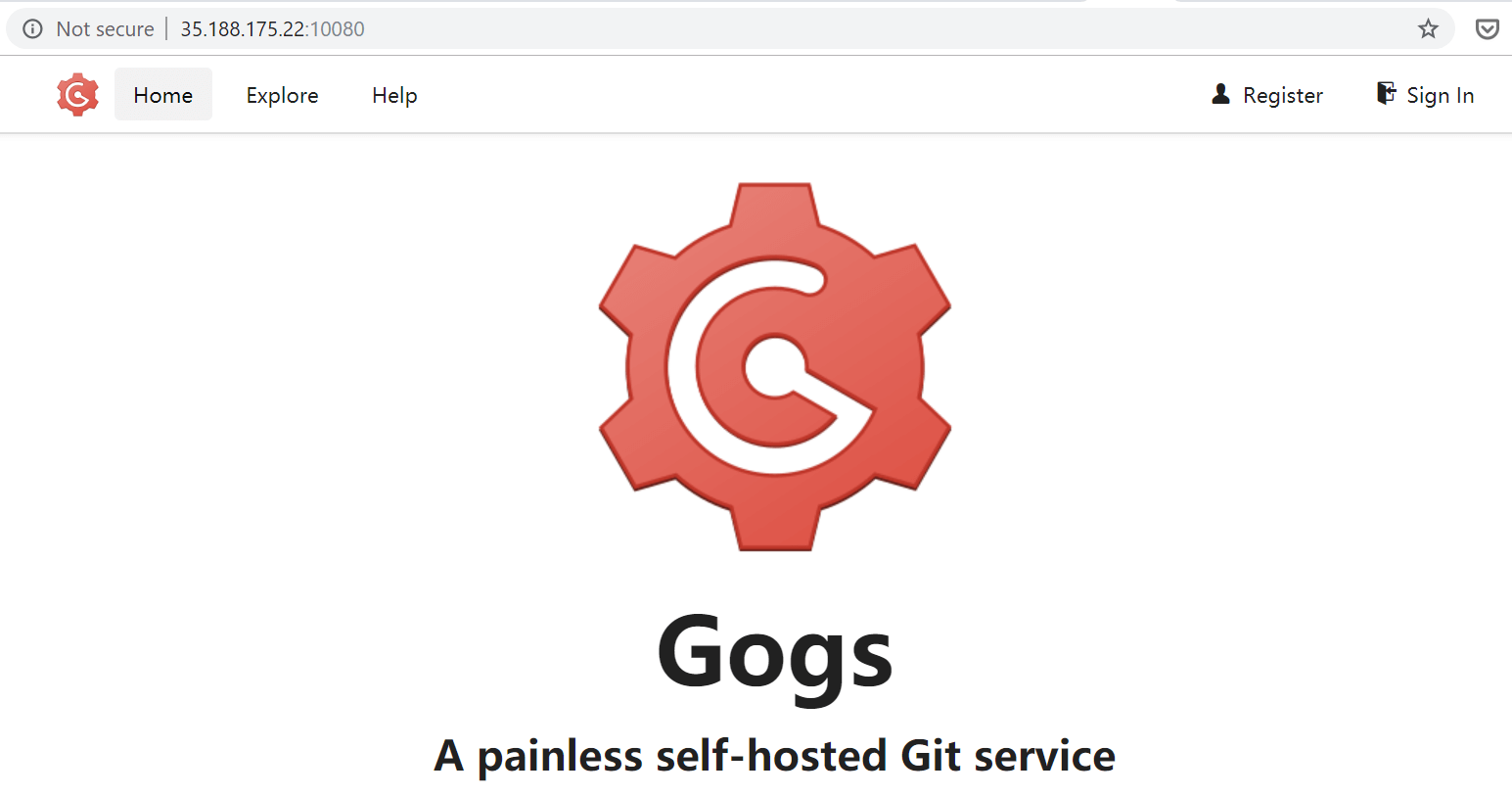
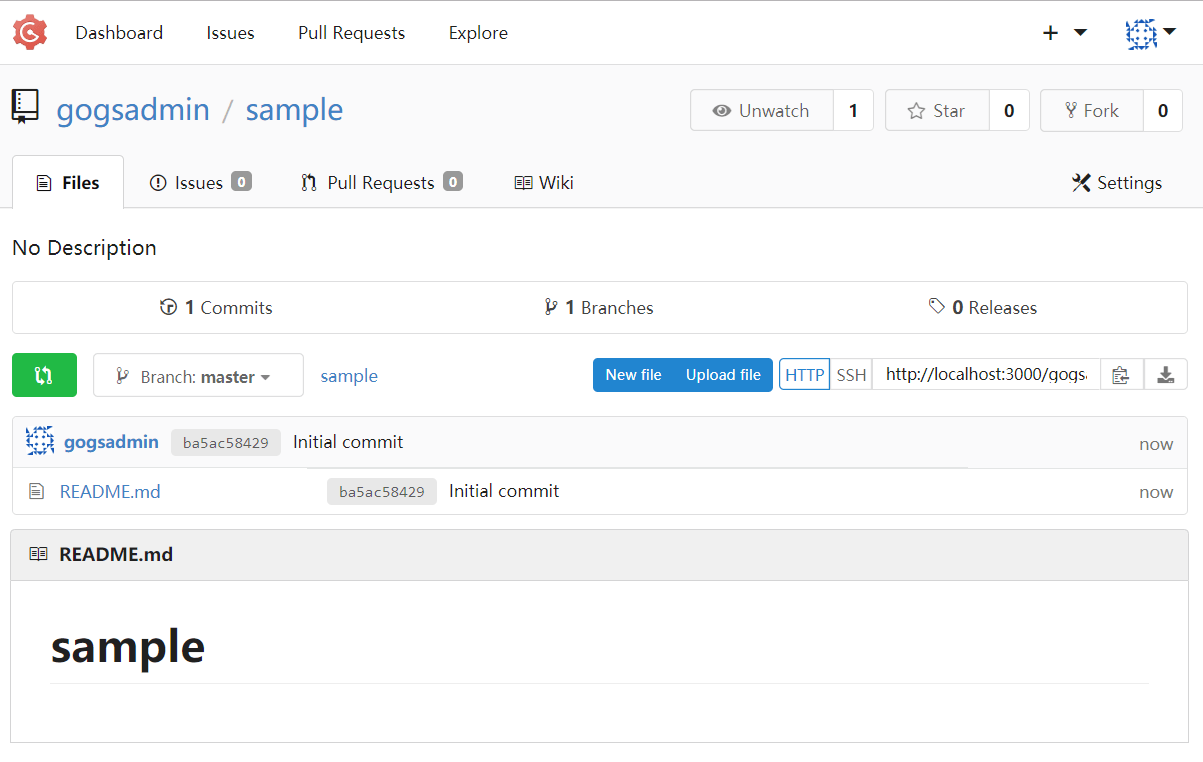
Login with the credential you have created during install and create your very first repo inside.
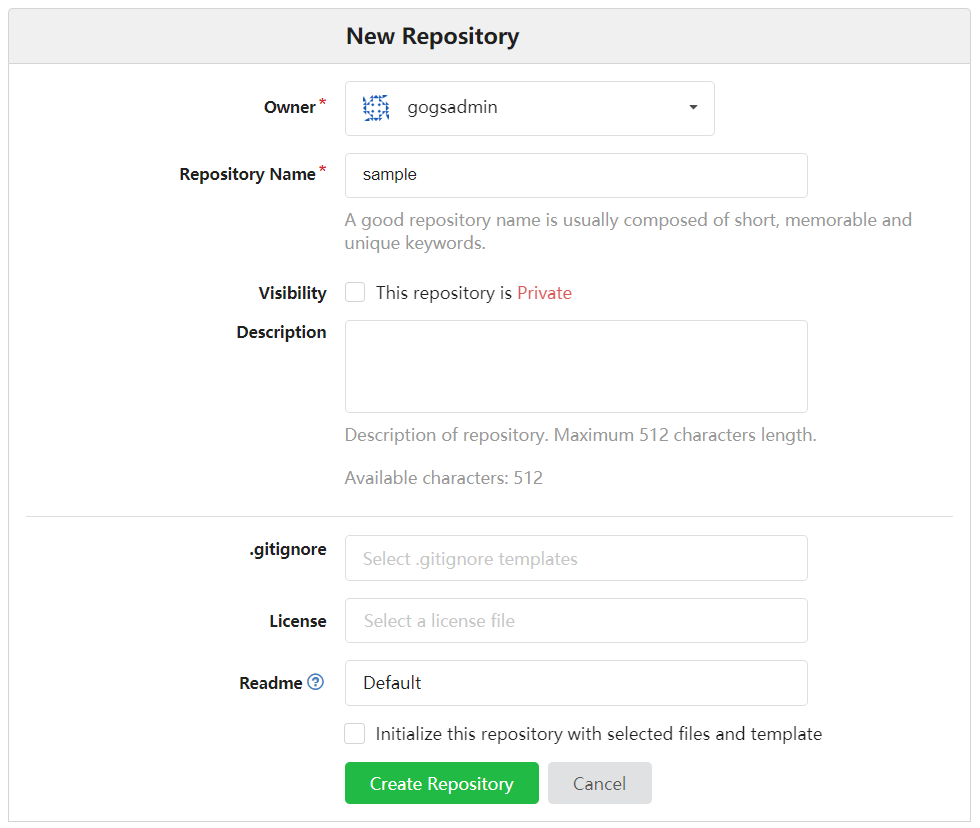
That’s all, you have your own git server with Web GUI.
Notes
Start Docker detached or Start it again.
If you stopped docker container, start it again as volume mapping will be there.
devops@node1:~$ sudo docker ps -a
CONTAINER ID        IMAGE               COMMAND                  CREATED             STATUS                     PORTS               NAMES
583d7b1b136a        gogs/gogs           "/app/gogs/docker/st…"   20 minutes ago      Exited (0) 8 seconds ago                       gogs
devops@node1:~$ sudo docker start gogs
gogs
devops@node1:~$ sudo docker ps
CONTAINER ID        IMAGE               COMMAND                  CREATED             STATUS              PORTS                                            NAMES
583d7b1b136a        gogs/gogs           "/app/gogs/docker/st…"   21 minutes ago      Up 3 seconds        0.0.0.0:10022->22/tcp, 0.0.0.0:10080->3000/tcp   gogs
Customize Gogs
You can customize Gogs server by editing configuration file app.ini . Refer Che a tsheet https://github.com/gogs/docs/blob/master/en-US/advanced/configuration_cheat_sheet.md for details.
devops@node1:~$ sudo vim ~/gogs/gogs/conf/app.ini
Enjoy !

Gineesh Madapparambath
Gineesh Madapparambath is the founder of techbeatly. He is the co-author of The Kubernetes Bible, Second Edition and the author of Ansible for Real Life Automation. He has worked as a Systems Engineer, Automation Specialist, and content author. His primary focus is on Ansible Automation, Containerisation (OpenShift & Kubernetes), and Infrastructure as Code (Terraform). (Read more: iamgini.com)