
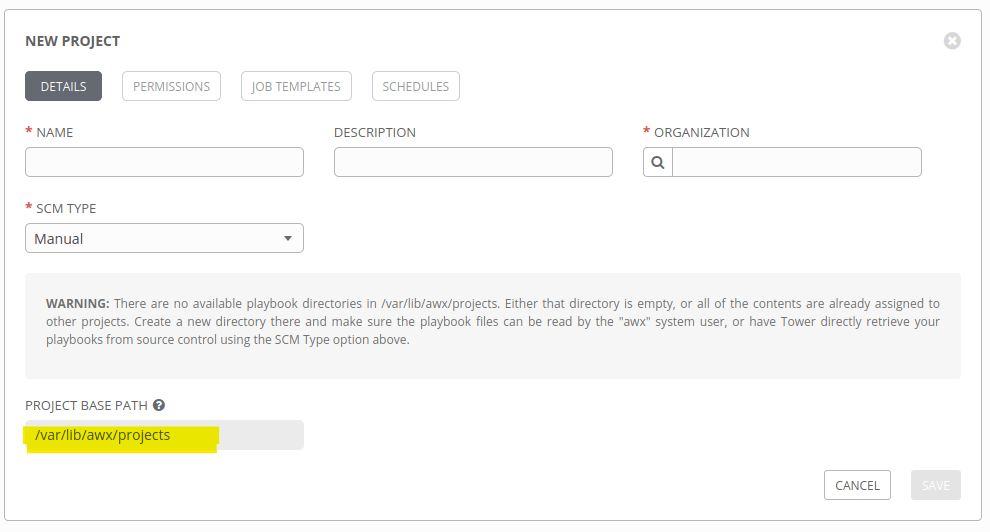
So many questioned me when I mention git server in an Ansible Tower environment; and later I realized that, most of them are keeping their projects inside Ansible Tower !!!

Okay, that is just an option in Ansible Tower and Highly NOT Recommended for production setup or for environment with multiple teams accessing the Ansible Tower.
Why Should Not ?
Also Read : How to Add Custom modules in A n sible
Ansible Tower supports most of the common SCM (Source Control Management) technologies as you can see below and yes, the easiest and simple one is using a Git server.
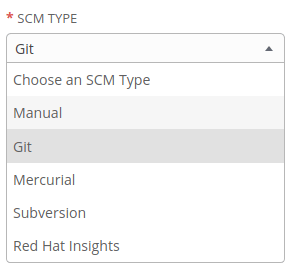
It can be GitHub, GitLab, BitBucket etc but most of the time, enterprise environments will be in a disconnected network – without internet access – and accessing those services will not work. So what, we have so many FREE/OpenSource/Enterprise git server alternatives like GiLab, BitBucket, Gogs etc and we can deploy this in our environment and keep our Ansible playbooks and project files there.
Read : How to install Git Server using Gogs
So, you have deployed a local git server using Gogs or GitLab CE/EE and connected project repos from there.
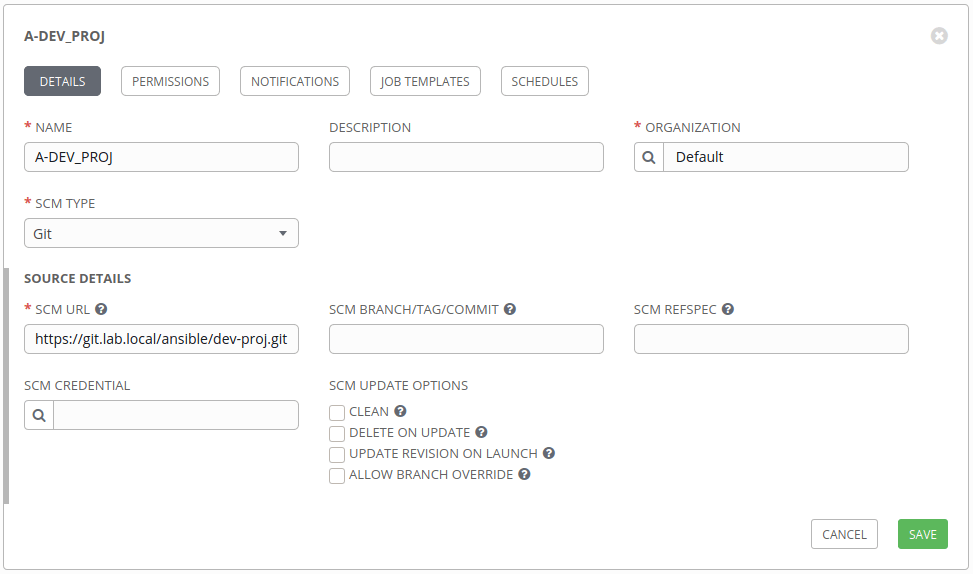
And you found the there is an error to connect to the git server from Ansible Tower !
{
    "stderr_lines": [
        "fatal: unable to access 'https://$encrypted$:$encrypted$@https://git.lab.local/ansible/dev-proj.git/': Peer's certificate issuer has been marked as not trusted by the user."
    ],
    .
    .
    .
    <truncated...>
    .
    .
    "stderr": "fatal: unable to access 'https://$encrypted$:$encrypted$@https://git.lab.local/ansible/dev-proj.git/': Peer's certificate issuer has been marked as not trusted by the user.\n",
    .
    .
    <truncated...>
    .
    .
    "msg": "fatal: unable to access 'https://$encrypted$:$encrypted$@https://git.lab.local/ansible/dev-proj.git/': Peer's certificate issuer has been marked as not trusted by the user."
}
And yes, most of the organizations will not spend money for CA/SSL Certificates and use self-signed certificates instead; even for Ansible Tower. And sometimes, even with CA Certificate, Ansible tower may not able to validate the Certificate.
And in our case, Ansible Tower cannot verify the certificate authority and shows Peer's certificate issuer has been marked as not trusted by the user Error. So, what is next ?
The Solution
Actually this is very simple, you can easily configure the same in Ansible Tower as EXTRA ENVIRONMENT VARIABLES .
Option 1 – Ignore SSL Verification
You can tell Ansible Tower to ignore the SSL verification as below.
{
  "GIT_SSL_NO_VERIFY": "True"
}
Option 2 – Provide Root Bundle Certificate
You can mention the root bundle Certificate from Certificate Authority
{
 "GIT_SSL_CAINFO": "/etc/custom-ca/bundle-ca.crt",
}
Where Should I Do this ?
Inside Ansible Tower GUI, goto Settings -> Job , and find the EXTRA ENVIRONMENT VARIABLES . Add variable in JSON format and Save it.
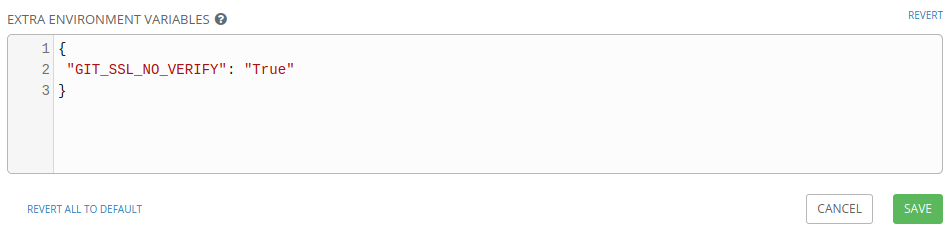
Test your project by syncing again and that’s it.

Gineesh Madapparambath
Gineesh Madapparambath is the founder of techbeatly. He is the co-author of The Kubernetes Bible, Second Edition and the author of Ansible for Real Life Automation. He has worked as a Systems Engineer, Automation Specialist, and content author. His primary focus is on Ansible Automation, Containerisation (OpenShift & Kubernetes), and Infrastructure as Code (Terraform). (Read more: iamgini.com)



 Shibin John