Cyber Deals - Get up to 65% off on CKA, CKAD, CKS, KCNA, KCSA exams and courses!

Efficient SSL Certificate Management: Simplifying Renewals with Subject Alternative Names (SAN)

Efficient SSL Certificate Management: Simplifying Renewals with Subject Alternative Names (SAN)
Photo by [Miłosz Klinowski](https://unsplash.com/@speedoshots?utm_content=creditCopyText&utm_medium=referral&utm_source=unsplash) on [Unsplash](https://unsplash.com/photos/two-grey-cctv-cameras-BW0d0IllW8E?utm_content=creditCopyText&utm_medium=referral&utm_source=unsplash)
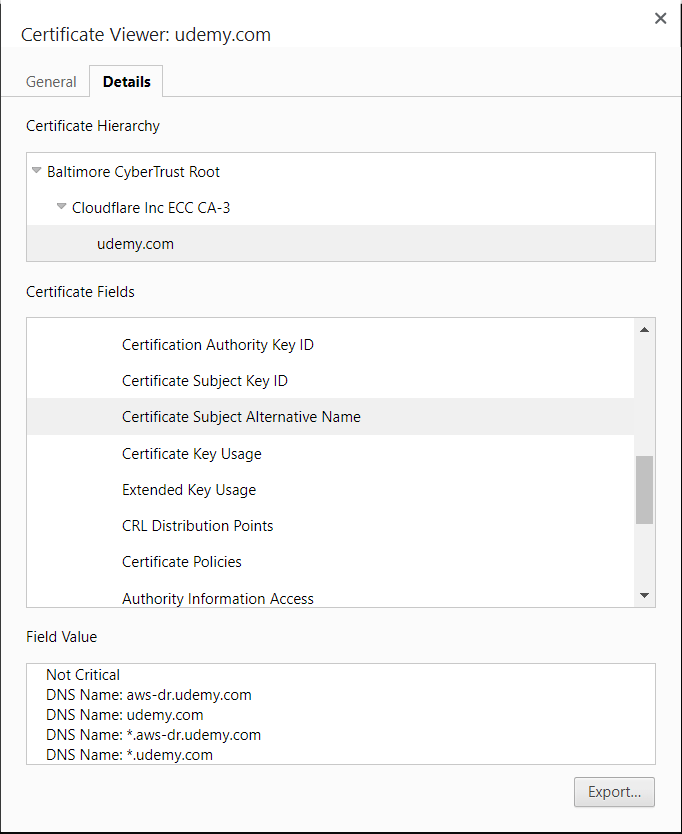
SSL certificate renewal can become a cumbersome task, especially when dealing with multiple domain names. Subject Alternative Names (SAN) provide an efficient solution, allowing you to consolidate multiple common names into a single certificate. Unlike wildcard SSL certificates, SAN enables the inclusion of various domain names and even IP addresses.

Key Features of SAN:

  • Multiple Common Names: SAN allows the inclusion of multiple common names in a single SSL certificate.
  • Versatility: You can add both domain names and IP addresses, providing flexibility in certificate configurations.
  • Reduction of Multiple Certs: SAN streamlines SSL certificate management by reducing the need for multiple certificates.
The Renewal Process with SAN:

A) CSR Generation:

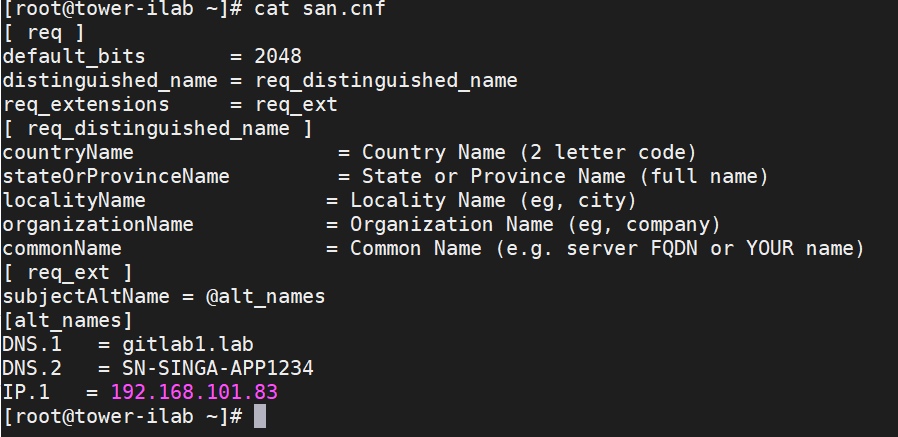
  1. Create san.cnf File:

Prepare a san.cnf file with appropriate Subject Alternative Names (DNS/IP).
  1. Generate CSR:

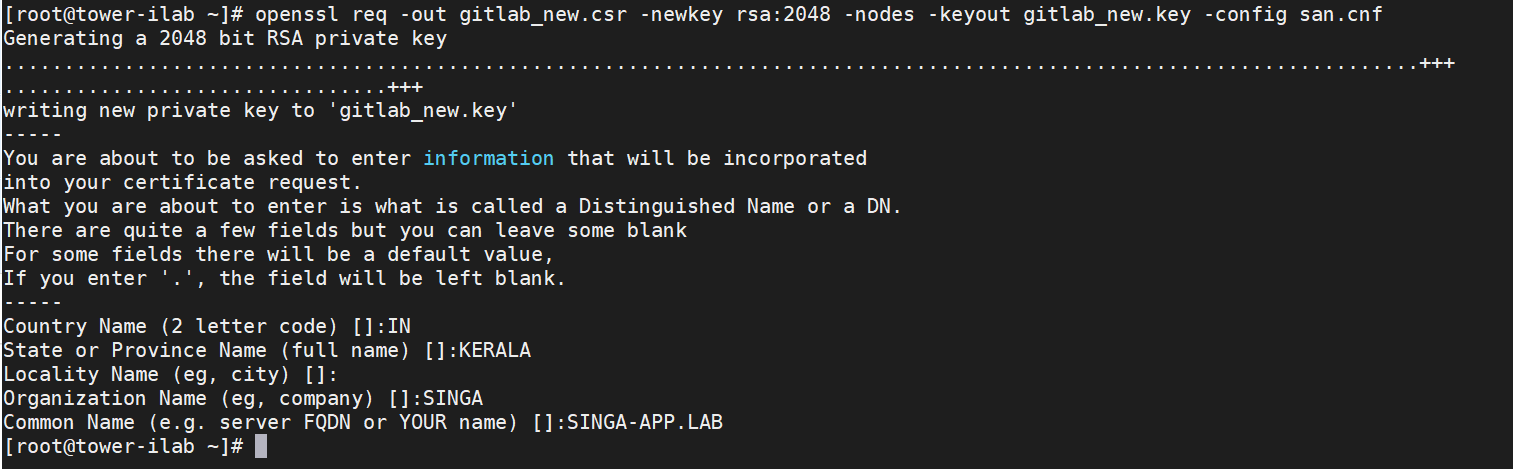
Utilize the following command to generate the Certificate Signing Request (CSR):

openssl req -out gitlab_new.csr -newkey rsa:2048 -nodes -keyout gitlab_new.key -config san.cnf
  1. Secure Storage:

Save the generated CSR and key securely for future reference.

  1. CSR Verification:

Verify your CSR with the command:

openssl req -noout -text -in <CSR file> | grep DNS

  1. Send CSR to Signing Authority:

Share the CSR (e.g., gitlab_new.csr) with the certificate signing authority for certificate issuance.

B) Obtain the Certificate:

Follow the certificate conversion process from .crt to .cer using the Certificate Wizard.

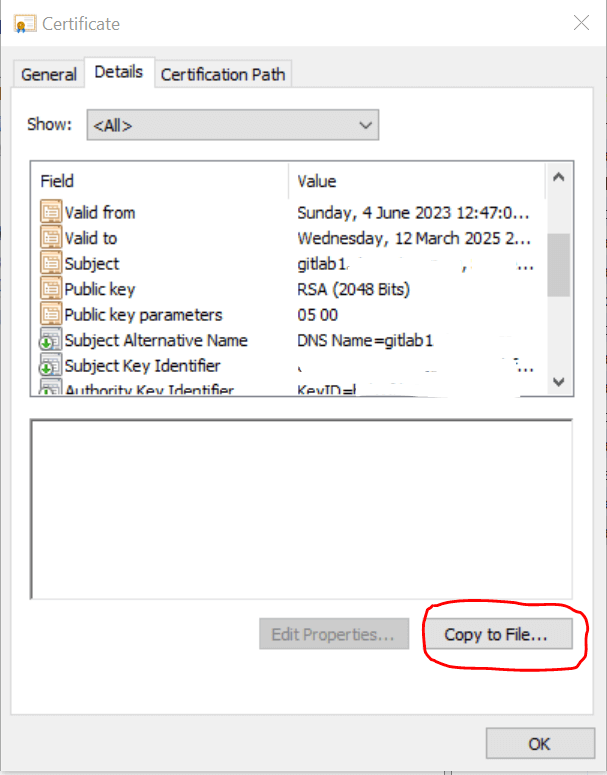
Double-click on the *.crt file to open it into the certificate display.

  1. Select the Details tab, then select the Copy to file option.
  1. Choose next on the Certificate Wizard

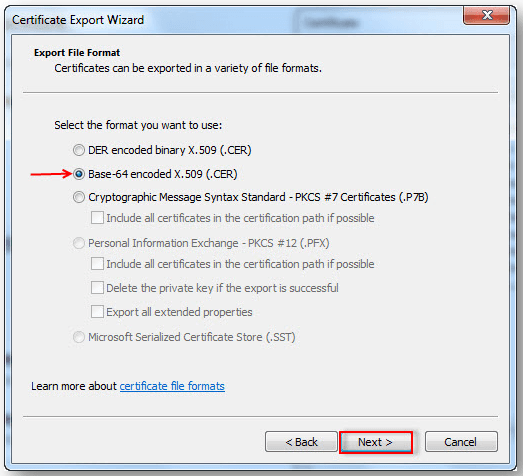
  2. Select Base-64 encoded X.509 (.CER) in the File format window , then Next.
  1. Select Browse (to locate a destination) and type in the filename.

  2. Choose Next, then the certificate file with the format .cer will be saved in the selected destination.

Verification

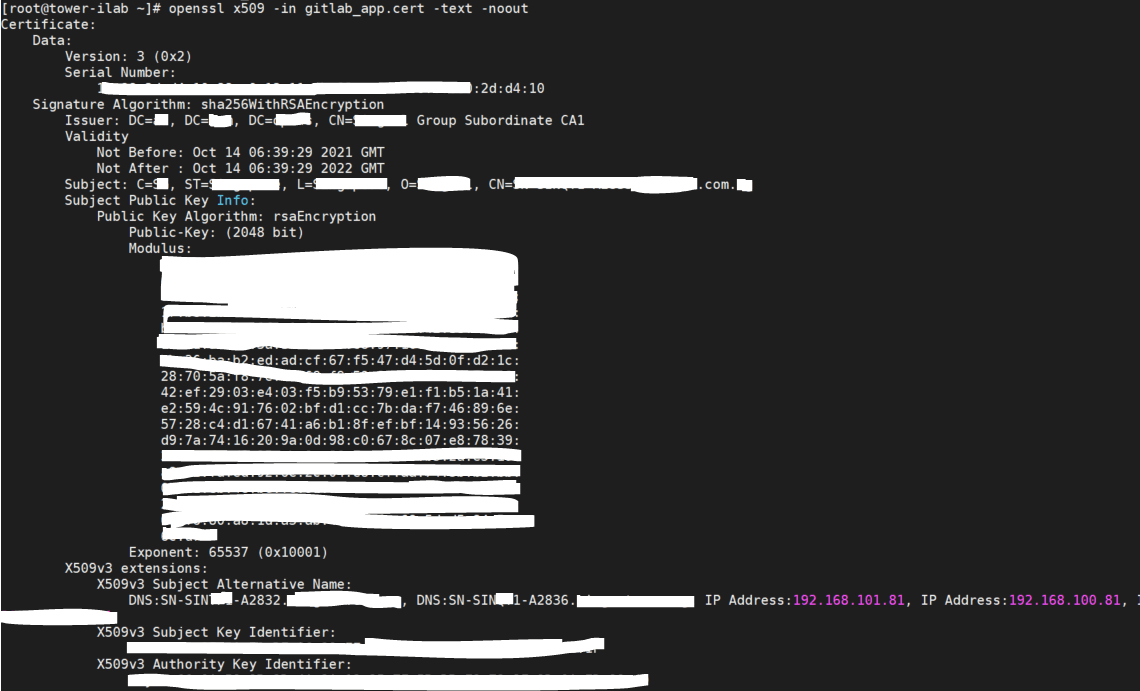
Use the command below to verify your cert:

openssl x509 -in -text -noout
C) Install the Certificate:

  • Copy the obtained certificate to the designated folder within the application configuration directory. For example, GitLab uses /etc/gitlab/trusted-certs/.

Verification:

Ensure the successful installation of the certificate using the command:

openssl x509 -in <CERT file name> -text -noout

Conclusion

Efficient SSL certificate management is crucial for secure online communication. Utilizing SAN during the renewal process not only simplifies the management of multiple domain names but also enhances the flexibility and versatility of SSL certificates. By streamlining the renewal process, organizations can ensure the seamless operation of secure applications and websites.

Raman G A

Raman G A

Kubernetes|DevSecops|Ansible|Openshift|CKA|Information Security|Identity and Access.

Disclaimer: Views expressed in articles are those of the respective authors and do not necessarily reflect the views of their employers or this site. While we aim for accuracy, please verify information before relying on it, and let us know if you spot an error.
Share:

Related Posts

Adding Custom Entries in /etc/hosts File in Kubernetes and OpenShift Containers

Adding Custom Entries in /etc/hosts File in Kubernetes and OpenShift Containers

Introduction: In Kubernetes and OpenShift container environments, it is sometimes necessary to add custom entries to the /etc/hosts file within pods. …

Secure Your Containers: Trivy Vulnerability Scanning

Secure Your Containers: Trivy Vulnerability Scanning

In today’s digital age, software applications and systems are vulnerable to a wide range of security threats. These threats can compromise sensitive …

A Shift in Focus: Why I Redirected My Efforts from OpenGuard to Event-Driven Ansible

A Shift in Focus: Why I Redirected My Efforts from OpenGuard to Event-Driven Ansible

Introduction In today’s rapidly evolving digital landscape, security automation has become a crucial aspect of ensuring the safety and integrity of IT …

Ceph Cluster Deployment on AWS: Mastering Distributed Storage

Ceph Cluster Deployment on AWS: Mastering Distributed Storage

In today’s data-driven world, scalable and reliable storage solutions have become paramount. This is where Ceph, an open-source software-defined …

Now Available: Updated Ansible Lab using Vagrant and VirtualBox!

Now Available: Updated Ansible Lab using Vagrant and VirtualBox!

I am happy to announce the updated version of the Ansible Lab code, based on the valuable feedback from our incredible learning community! This lab...

A DevOps Guide to Kubernetes Logging

A DevOps Guide to Kubernetes Logging

Learn tips and tricks to set up and use Kubernetes Logging to collect logs from all your applications and services deployed on the Kubernetes …