Cyber Deals - Get up to 65% off on CKA, CKAD, CKS, KCNA, KCSA exams and courses!

Enable newly installed vFlash card in Dell iDRAC

Enable newly installed vFlash card in Dell iDRAC

I have explained how to to use vFlash card as an easy boot method here . If you are not able to see a vFlash card (or vFlash card tab is missing in iDRAC screen GUI), then it might be due to vFlash not enabled and configured in iDRAC. You can easily enable the vFlash card via iDRAC settings as I explained below.

Verify the card is installed; in iDRAC GUI -> Hardware -> Removable Flash Media.

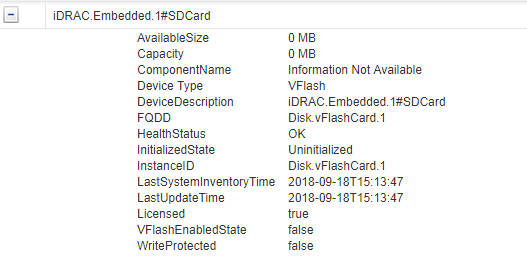
Confirm the details from iDRAC system inventory. in iDRAC GUI -> Server -> Properties -> System Inventory
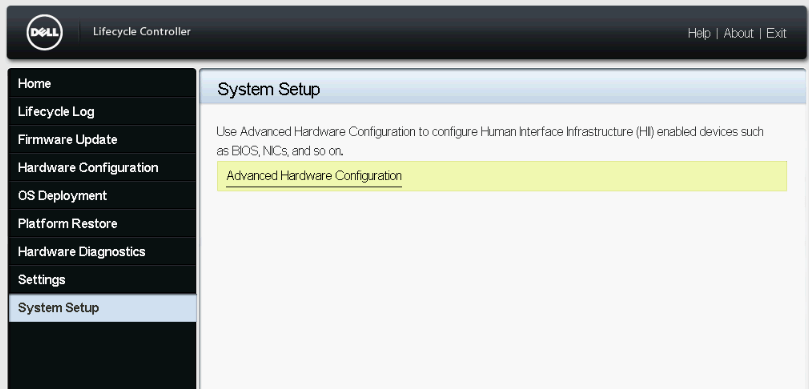
Then reboot server and press F11 during post. Click System Setup -> Advance Hardware Configuration
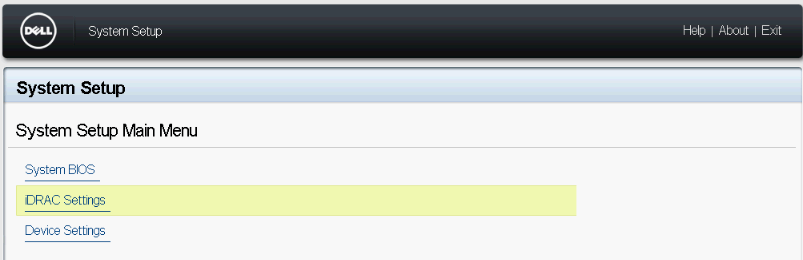
Click iDRAC Settings
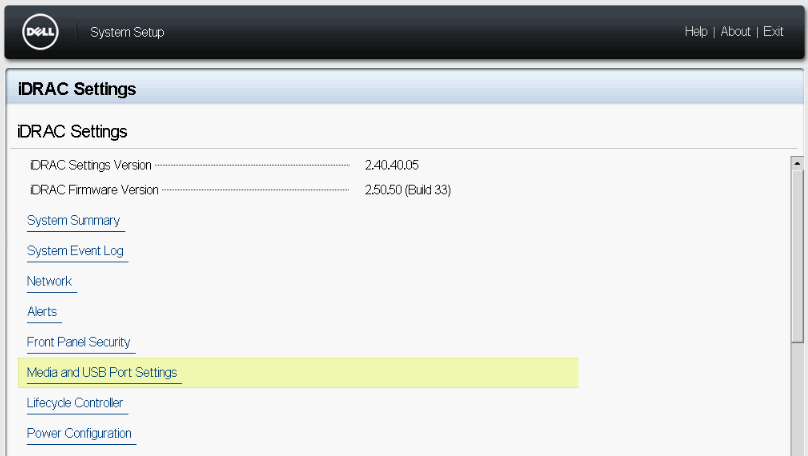
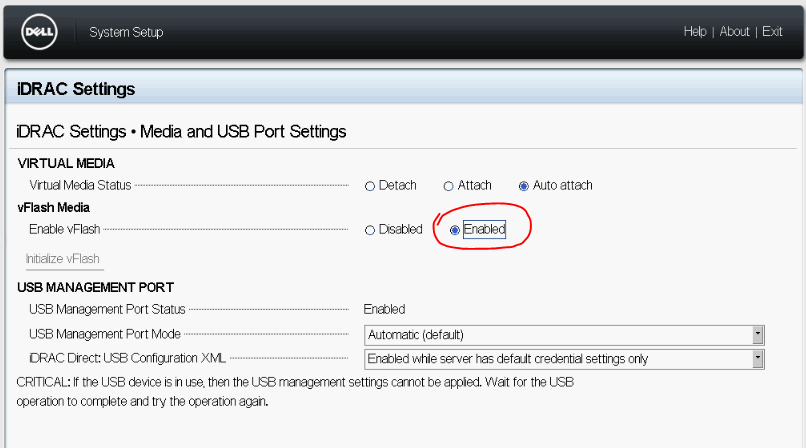
Click Media and USB Port Settings
Enable vFlash as below.
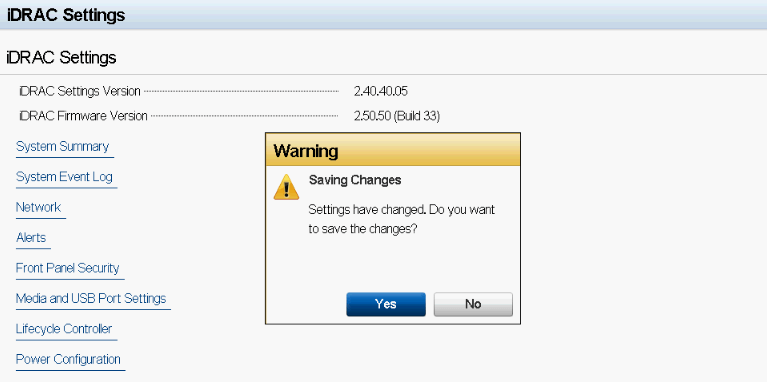
Click Back and Finish . Save configuration when ask.
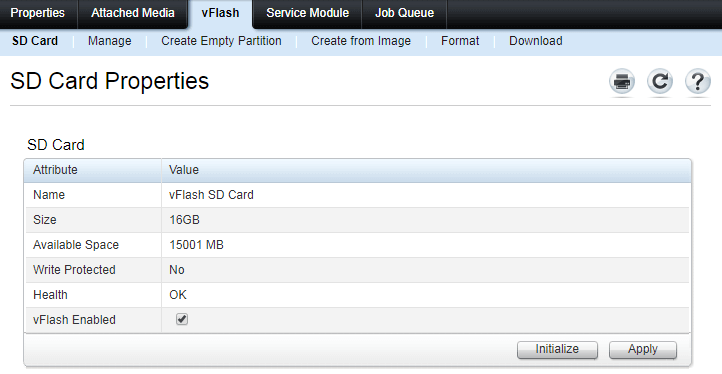
Now go and check vFlash tab on main page of iDRAC GUI.

Gineesh Madapparambath

Gineesh Madapparambath

Gineesh Madapparambath is the founder of techbeatly. He is the co-author of The Kubernetes Bible, Second Edition and the author of Ansible for Real Life Automation. He has worked as a Systems Engineer, Automation Specialist, and content author. His primary focus is on Ansible Automation, Containerisation (OpenShift & Kubernetes), and Infrastructure as Code (Terraform). (Read more: iamgini.com)


Disclaimer: Views expressed in articles are those of the respective authors and do not necessarily reflect the views of their employers or this site. While we aim for accuracy, please verify information before relying on it, and let us know if you spot an error.
Share:

Related Posts

How to Install and Configure AWS Command Line Interface (CLI)

How to Install and Configure AWS Command Line Interface (CLI)

The AWS Command Line Interface (CLI) is a unified tool to manage your AWS services. With just one tool to download and configure, you can control …

How to get or set iLO details from Linux and Windows (when you lost iLO access)

How to get or set iLO details from Linux and Windows (when you lost iLO access)

As an sysadmin, its always headache to deal with remote systems as rely on remote consoles (HP iLO, Dell iDRAC etc) for servers to access...

Dell Technologies Forum 2018 – Kuala Lumpur

Dell Technologies Forum 2018 – Kuala Lumpur

From Portal :Dell Technologies Forum is a free, one-day event where you can experience the power of Dell’s seven technology powerhouses, all in one …

How To Configure Minicom For Serial Console Connections

How To Configure Minicom For Serial Console Connections

Those who work with infrastructure/server deployment knows how difficult it is to get a console for those devices having no display like switches, …

Quick Hardware Collection Script for HP C7000 Enclosure

Quick Hardware Collection Script for HP C7000 Enclosure

Since I am playing with so many HP bladecenters daily, it was bit difficult to do quick hardware checks whenever there is an issue. So...

ComVault Simpana Installation (cv11) on Linux (RHEL7)- Step by Step

ComVault Simpana Installation (cv11) on Linux (RHEL7)- Step by Step

This is a very basic article to share the cv11 installation. If any corrections/mistakes, please feel free to feedback as I am not an expert...