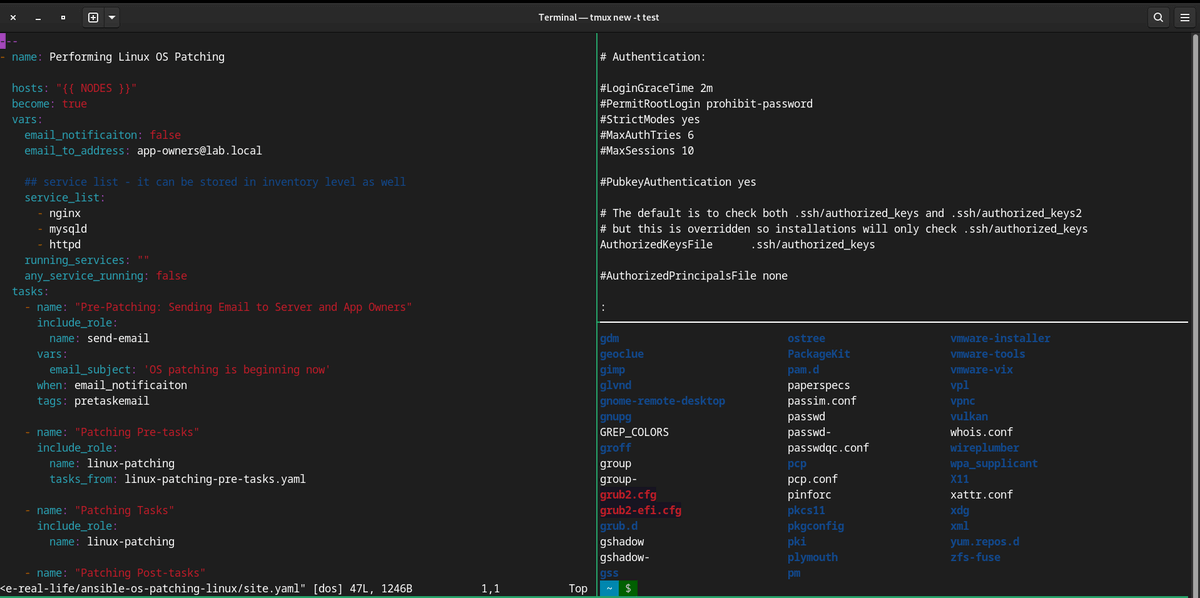
# check version
$ screen --version

# show help
Ctrl + a  ?

# Starting Named Session
screen -S session_name

Ctrl+a c Create a new window (with shell).
Ctrl+a " List all windows".
Ctrl+a 0 Switch to window 0 (by number).
Ctrl+a A Rename the current window.
Ctrl+a S Split current region horizontally into two regions.
Ctrl+a | Split current region vertically into two regions.
Ctrl+a tab Switch the input focus to the next region.
Ctrl+a Ctrl+a Toggle between the current and previous windows
Ctrl+a Q Close all regions but the current one.
Ctrl+a X Close the current region.

# Detach from Linux Screen Session
Ctrl+a d

# List screen sessions
$ screen -ls
There is a screen on:
        1083.test       (Detached)
1 Socket in /var/folders/8f/v0tpqxg56wsf9x6x6tntjt5h0000gn/T/.screen.

# Reattach to a Linux Screen
screen -r
# or
screen -r 1083
Screen configurations
/etc/screenrc~/.screenrc
Sample configurations
# Turn off the welcome message
startup_message off

# Disable visual bell
vbell off

# Set scrollback buffer to 10000
defscrollback 10000

# Customize the status line
hardstatus alwayslastline
hardstatus string '%{= kG}[ %{G}%H %{g}][%= %{= kw}%?%-Lw%?%{r}(%{W}%n*%f%t%?(%u)%?%{r})%{w}%?%+Lw%?%?%= %{g}][%{B} %m-%d %{W}%c %{g}]'
Disclaimer: Views expressed in articles are those of the respective authors and do not necessarily reflect the views of their employers or this site. While we aim for accuracy, please verify information before relying on it, and let us know if you spot an error.