Cyber Deals - Get up to 65% off on CKA, CKAD, CKS, KCNA, KCSA exams and courses!

Slip Stream Method for SQL Server Build

Slip Stream Method for SQL Server Build

This document is to guide when we want to integrate the SQL setup media with Service Pack, Cumulative updates and hotfixes in once single iso image so that we can save time for one by one installation and also in terms of multiple reboots as well. Here are the steps as mentioned below.

  • Extract the SQL Server media into a folder on your machine by using 7zip or any other software you like that is capable of extracting .iso files.
  • Create a new folder inside of the extracted media folder and paste inside all of the fixes you will need

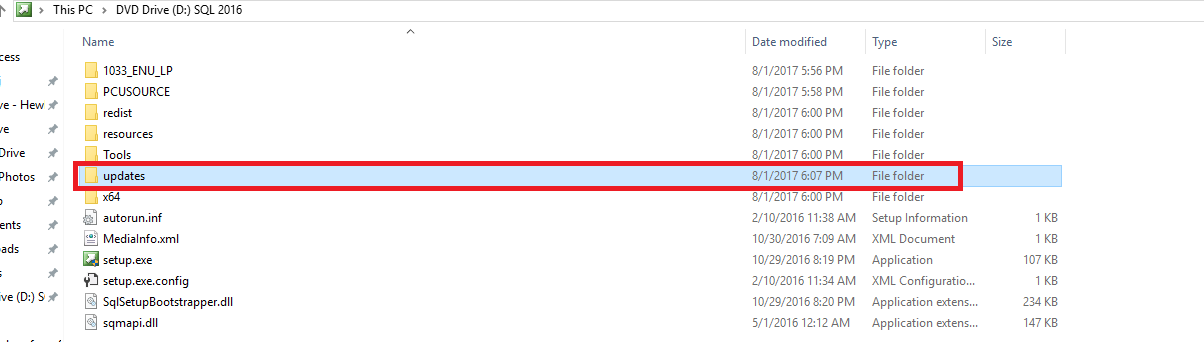
Create an ISO from that folder with the help of software like ImgBurn Here is how your folder should look like. This is an example with SQL Server 2016 with SP1 and Cumulative Update 3:
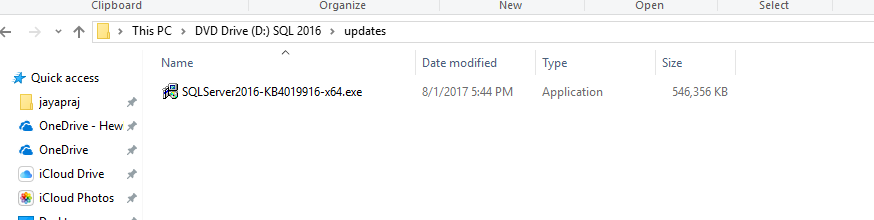
Once you create the .iso file based on this folder, just run CMD and execute the below:

Setup.exe /Action=Install /UpdateEnabled=TRUE /UpdateSource=”D:\Updates”
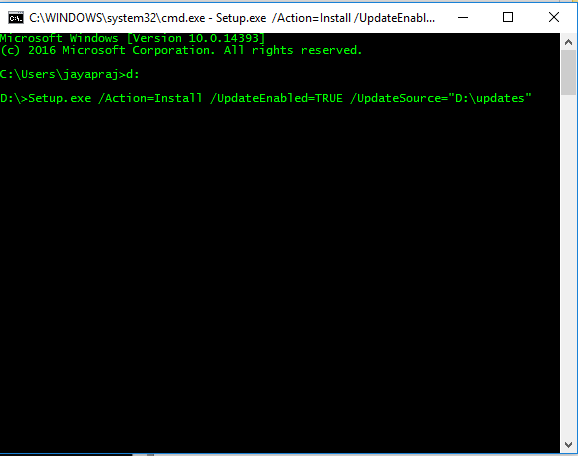
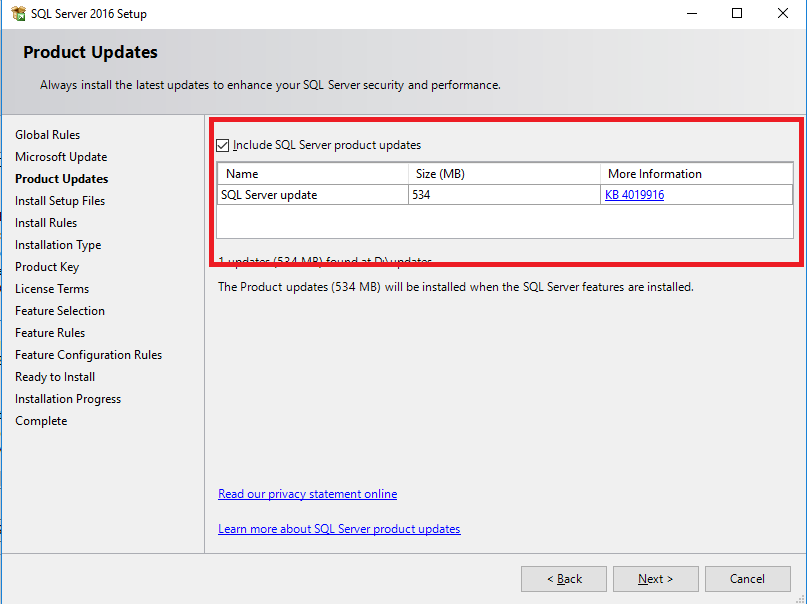
The setup starts and the first difference we see is on one of the first screens that we are presented with:
Once you move forward and do all the needed configurations, there is another point at which you may see a slight difference confirming that you are on your way and you have successfully done the slipstreaming:
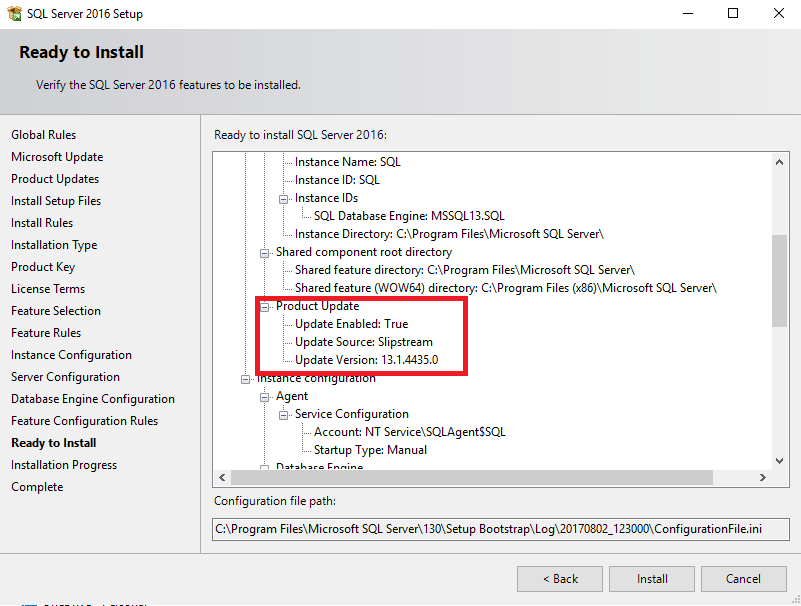
That’s it! No more you are required to manually start every single Service Pack then Cumulative update and Security Hotfix you need! Now you just put all of those in a folder and “point” SQL Server’s setup to that folder.

Originally Published : sqlworldtechies.wordpress.com

Jagath Jayaprakash

Jagath Jayaprakash

ITO Service Delivery Consultant III at DXC Technology


Disclaimer: Views expressed in articles are those of the respective authors and do not necessarily reflect the views of their employers or this site. While we aim for accuracy, please verify information before relying on it, and let us know if you spot an error.
Share:

Related Posts

Infrastructre & hardware

How to Check Linux/Unix Operating System Version, Maintenance Level, Architecure

We can identify the Unix Operating System architecture by uname or arch command. Try below examples. Linux kernel version and hardware architecture # …

How to get or set iLO details from Linux and Windows (when you lost iLO access)

How to get or set iLO details from Linux and Windows (when you lost iLO access)

As an sysadmin, its always headache to deal with remote systems as rely on remote consoles (HP iLO, Dell iDRAC etc) for servers to access...

Infrastructre & hardware

dmidecode – best usages [updated]

Check Hyper-threading (Virtualization) available or not # dmidecode -t processor | grep HTT HTT (Multi-threading) HTT (Multi-threading) Check if its …

Quick Hardware Collection Script for HP C7000 Enclosure

Quick Hardware Collection Script for HP C7000 Enclosure

Since I am playing with so many HP bladecenters daily, it was bit difficult to do quick hardware checks whenever there is an issue. So...

UNIX / Linux shutdown Commands

UNIX / Linux shutdown Commands

Shutdown the machine immediately # shutdown -h now Reboot the machine immediately # shutdown -r now Shutdown the machine with user defined message # …

4 Websites You Can Use For Subnet Calculation

4 Websites You Can Use For Subnet Calculation

You might be a System Administrator, Developer, Infra Designer, Architect or a Capacity Manager by role, but getting quick information on your VLAN or …