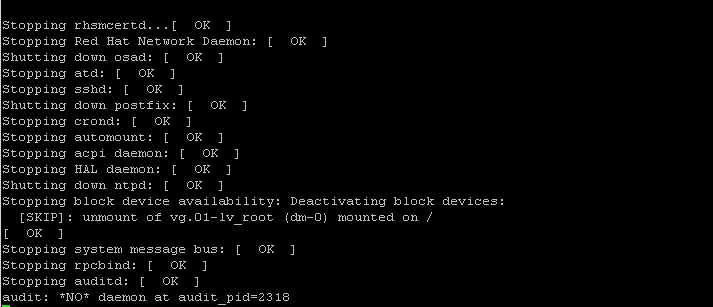
Shutdown the machine immediately
# shutdown -h now
Reboot the machine immediately
# shutdown -r now
Shutdown the machine with user defined message
# shutdown -h now 'System is going down for upgrade'
Scheduling the shutdown with 24 hour format
# shutdown -h 20:00
Cancel a running shutdown
You can cancel the running shutdown by using -c option as,# shutdown -c
-r Requests that the system be rebooted after it has been brought down
 -h Requests that the system be either halted or powered off after it has been broughtdown, with the choice as to which left up to the system
 -H Requests that the system be halted after it has been brought down
 -P Requests that the system be powered off after it has been brought down
 -c Cancels a running shutdown. TIME is not specified with this option, the firstargument is MESSAGE
 -k Only send out the warning messages and disable logins, do not actually bring thesystem down
See log of system shutdown
# last reboot
 reboot system boot 2.6.18-238.12.1. Sun Jun 5 07:56 (17+00:07)
 reboot system boot 2.6.18-238.9.1.e Sat Apr 30 05:08 (36+02:44)
 reboot system boot 2.6.18-238.9.1.e Fri Apr 22 02:38 (8+02:25)
 reboot system boot 2.6.18-238.5.1.e Sat Mar 5 19:13 (47+06:21)
 reboot system boot 2.6.18-238.1.1.e Sat Jan 22 06:44 (42+12:25)
Solaris
You need to use the shutdown command as follows (you must login as root)# shutdown -y -g0 -i S

Gineesh Madapparambath
Gineesh Madapparambath is the founder of techbeatly. He is the co-author of The Kubernetes Bible, Second Edition and the author of Ansible for Real Life Automation. He has worked as a Systems Engineer, Automation Specialist, and content author. His primary focus is on Ansible Automation, Containerisation (OpenShift & Kubernetes), and Infrastructure as Code (Terraform). (Read more: iamgini.com)
Disclaimer: Views expressed in articles are those of the respective authors and do not necessarily reflect the views of their employers or this site. While we aim for accuracy, please verify information before relying on it, and let us know if you spot an error.